18+. Full T&C's apply. Sports bonus: 100% match up to $500. Casino bonus: 100% match up to $500. Enter promo code NEW200 at deposit and get up to a $1000 bonus. Valid on your first three (3) deposits. Available for all deposit methods. Minimum deposit of $50.
18+. Full terms apply. The Bet Back Bonus is available for new customers on first-time deposits of $50 or more. To redeem, select the offer in the cashier while completing your first deposit. Make your pick(s) in the Sportsbook and then select ‘Opt In to Use Your Bonus’. A Bet Back Bonus pop-up will display, select ‘Claim’ and then enter the risk amount to place your bet. If it wins, you keep your profits. If it loses, get 100% of your risk refunded as Free Play with only 1-time rollover. Free Play can then be used to place bets in the Sportsbook and earn cash. Additional T&Cs apply, please visit MyBookie to access the Help Center or contact Live Chat for more details.
21+. Full T&C's apply. WELCOME OFFERS ARE ONLY AVAILABLE TO NEW CUSTOMERS ON THEIR FIRST DEPOSIT OF $50 OR MORE. THE BONUS IS CREDITED AS BONUS BETS WITH 10-TIME PLAYTHROUGH REQUIREMENT. TO CLAIM THIS BONUS, REDEEM PROMOCODE XBCRYPTO100 IN THE CASHIER WHEN COMPLETING YOUR FIRST DEPOSIT.
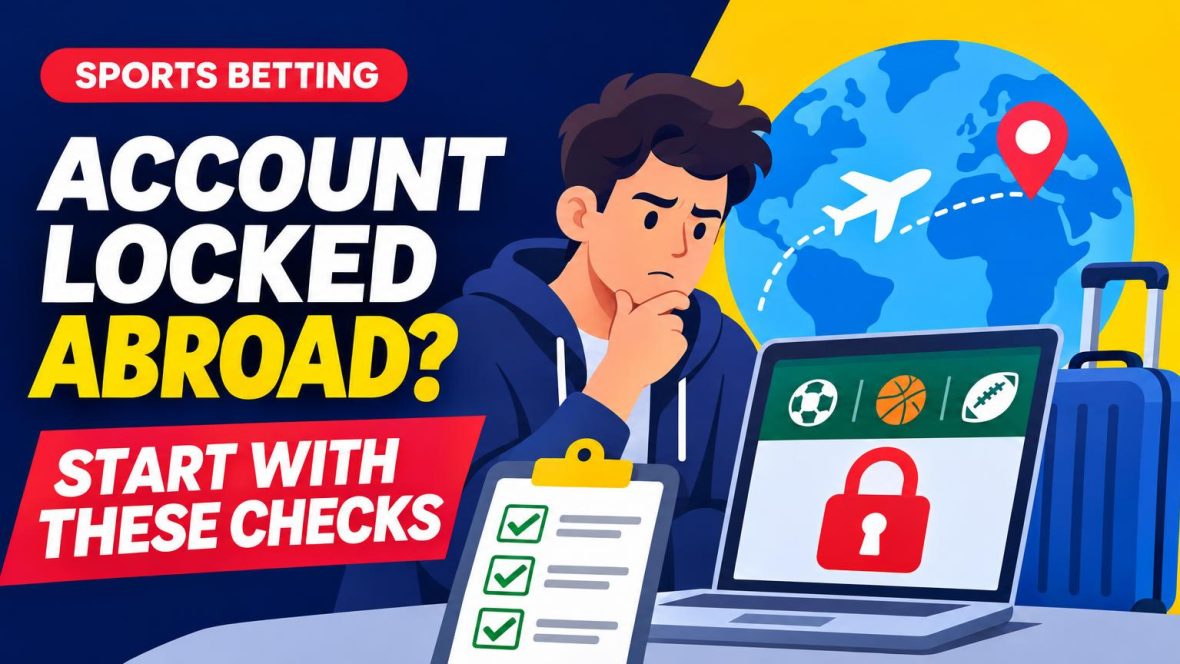
A blocked withdrawal doesn’t necessarily mean the whole account is locked.
The sportsbook app opened at home yesterday. On hotel Wi‑Fi today, it won’t get past sign-in. That’s a different symptom from signing in successfully and seeing a location warning when placing a bet. Sign-in trouble may point to a security check; a location warning can mean the app can’t confirm where the device is or that betting isn’t permitted there. If the balance is still visible but a withdrawal won’t go through, the issue may be specific to the payout or a pending verification check.
Before retrying or changing account details, save the exact error message and note where it appeared and what still works. Whether the balance loads or the cashier opens can help support narrow down the problem without guessing what “locked” means.
Check whether the destination is blocked
“Service unavailable in this country” points to a location restriction. “Unable to sign in” does not: the same message can appear after a failed password check, a security lock, or a temporary outage. Even an explicit country notice may apply only to the action that triggered it. A message on the bet slip doesn’t necessarily mean withdrawals are blocked too.
Check the destination’s rules on online sports betting and the terms for the operator’s specific site or app where the account was opened. A sportsbook may operate under the same brand in several countries without allowing an account registered in one to be used in another. This distinction matters for using a sportsbook while traveling overseas: local availability doesn’t guarantee access to an existing account.
Top Crypto Sportsbooks for November 2026
BetUS
200% up to $1,000
Code: NEW200
18+. Full T&C's apply.
18+. Full T&C's apply. Sports bonus: 100% match up to $500. Casino bonus: 100% match up to $500. Enter promo code NEW200 at deposit and get up to a $1000 bonus. Valid on your first three (3) deposits. Available for all deposit methods. Minimum deposit of $50.
18+. Full terms apply. The Bet Back Bonus is available for new customers on first-time deposits of $50 or more. To redeem, select the offer in the cashier while completing your first deposit. Make your pick(s) in the Sportsbook and then select ‘Opt In to Use Your Bonus’. A Bet Back Bonus pop-up will display, select ‘Claim’ and then enter the risk amount to place your bet. If it wins, you keep your profits. If it loses, get 100% of your risk refunded as Free Play with only 1-time rollover. Free Play can then be used to place bets in the Sportsbook and earn cash. Additional T&Cs apply, please visit MyBookie to access the Help Center or contact Live Chat for more details.
21+. Full T&C's apply. WELCOME OFFERS ARE ONLY AVAILABLE TO NEW CUSTOMERS ON THEIR FIRST DEPOSIT OF $50 OR MORE. THE BONUS IS CREDITED AS BONUS BETS WITH 10-TIME PLAYTHROUGH REQUIREMENT. TO CLAIM THIS BONUS, REDEEM PROMOCODE XBCRYPTO100 IN THE CASHIER WHEN COMPLETING YOUR FIRST DEPOSIT.
Contact support through the operator’s official website or app. Provide the destination, the country or state where the account was registered, and the exact error. Ask which functions are restricted from the destination: sign-in, bet placement, deposits, or withdrawals. If there are open bets, ask how they’ll be settled and how to check the results without signing in.
If support confirms a country restriction, stop retrying the blocked action. Ask whether funds can be withdrawn through an approved process while abroad or must stay in the account until return to an allowed location. Keep the support reference in case a follow-up is needed.
Location check
When the sportsbook can’t verify an eligible location
Separate a failed check from a blocked location
“Unable to verify location” means the check didn’t complete; it doesn’t establish whether betting is allowed. Start troubleshooting only after the operator confirms the account is eligible at the current location.
Check location permission where the error appeared
For the official app, check its location permission in the device settings. On the operator’s website, check both the browser’s device-level permission and the site’s own permission; either can block the check.
Use the operator’s connection settings and retry once
Follow the operator’s guidance on Wi-Fi, mobile data, or any required location-verification tool. Once those settings are in place, reopen the app or reload the page and run the check once.
Send support the exact error if it returns
Include the full message and any error code, the device model and operating system version, and the app or browser version. Note whether the retry used Wi-Fi or mobile data.
Don’t mask the location
A VPN, proxy, or GPS-spoofing tool can interfere with verification or trigger another account review. If the check still fails on the recommended setup, leave the connection as it is and let support investigate.
A new-device alert isn’t a missing text
A new-device alert means the sportsbook doesn’t recognize the device or browser. It may be a routine notice or a request to approve the sign-in. If the timing matches a recent attempt, open the official app or site directly and check what it asks for. If no one on the account tried to sign in, don’t approve the request or follow a link in the alert; contact support through the official site.
If the verification code never arrives
A screen waiting for a one-time code doesn’t necessarily mean the account is locked. The sportsbook sends the text to the number on file. A travel eSIM may provide data while the registered line is switched off, and the registered line may not receive texts while roaming.
Check the destination. If the screen shows the last few digits, compare them with the registered number. Make sure that line is active and can receive an ordinary text. A successful test confirms basic SMS service, but verification texts can still fail.
Look for an existing recovery option. If the official app or site offers a previously configured authenticator or backup code, use it instead of repeatedly requesting another text. Never share a one-time code with support.
If the account is explicitly locked or the registered number is no longer available, stop retrying and contact official support. Give the exact on-screen message and say whether the registered line can still receive texts.
Read the document status before uploading again
A lock that appears during a trip doesn’t necessarily mean the trip triggered a document check. Open the sportsbook’s verification page or account inbox and look for the latest notice. The wording there matters more than the timing: a file awaiting review needs a different response from one the sportsbook has declined.
Pending review: If the upload shows as received and there’s no request for another file, leave it in the queue. If the operator’s stated review window has passed, ask official support to confirm receipt rather than sending a duplicate. See how verification delays can affect account access while a check is open.
Document rejected: Read the reason before replacing the file. A cropped ID calls for a new image with all edges visible; an expired ID calls for a valid replacement from the accepted list. If no reason appears, ask support what needs correcting.
Updated proof requested: Check exactly what needs refreshing. A request for recent proof of address isn’t a request to resubmit an ID. Confirm the accepted document types and how recently the proof must have been issued.
Submit only the requested files through the sportsbook’s secure upload portal, reached from its official app or website. If the lock also blocks the portal, contact official support for a secure way to submit the documents instead of attaching them to an email.
A trip abroad isn’t a change of residence
For a holiday or work trip, leave the account’s residential address unchanged. A hotel or short-term rental isn’t a new home address, and editing the profile won’t make the sportsbook available in a country where it doesn’t accept bets.
After a permanent move, ask official support how it handles account updates after a move to another country before changing the profile or opening another account. A sportsbook may be able to update the existing account, or it may require that account to be closed before a new one can be opened. Even if the same brand operates in both countries, the account may not carry over.
Ask which proof of residence is accepted and what happens to the balance and any unsettled bets before agreeing to close the account. Keep the support reply or case number for follow-up.
FAQ
Sign-in works, but bets or payments don’t
Does a blocked bet mean the balance is frozen?
Not by itself. A location rule may prevent new bets without blocking withdrawals. Check the withdrawal screen separately: a visible balance shows what’s recorded in the account, not necessarily what’s available to withdraw.
What if only a deposit fails?
Note the exact error and the payment method used. Ask support whether the decline reflects a deposit rule at the current location, a problem with that payment method, or an account verification requirement.
Is a pending withdrawal the same as a blocked one?
No. A pending request has been submitted, while a disabled withdrawal button may prevent a request from being made at all. For a pending request, quote the status verbatim and ask whether it is processing normally or waiting on a review.
What if the funds can’t be withdrawn abroad?
Ask official support for the approved withdrawal procedure and which steps can be completed from the current location. If any step must wait until return, ask which one and whether an existing request should be left in place.
Name the action that failed
In the support message, pair the action with its exact status: “Withdrawal — pending review” gives support more to work with than “account locked.” If betting and payments both fail, list their messages separately.
Next steps
Ask support what’s restricted
If the error is vague or keeps returning, contact support with the exact wording and the date, time, and time zone it appeared. Include the current country, the specific action that failed, and the checks already completed. “Sign-in works, but the withdrawal request fails” gives support more to work with than “account locked.”
Ask support to confirm which restriction applies, which functions are still available, and what the operator permits as the next step. If the symptom still doesn’t fit any of the cases above, consult the broader guide to offshore sportsbook access problems.
If funds remain inaccessible
Keep the case number and copies of written replies, especially any explanation of the restriction or promised review date. Check the operator’s formal complaints process for the submission channel and any deadlines. Referencing the original case lets the complaint pick up where the support exchange left off.
Top Crypto Sportsbooks for November 2026
BetUS
200% up to $1,000
Code: NEW200
18+. Full T&C's apply.
18+. Full T&C's apply. Sports bonus: 100% match up to $500. Casino bonus: 100% match up to $500. Enter promo code NEW200 at deposit and get up to a $1000 bonus. Valid on your first three (3) deposits. Available for all deposit methods. Minimum deposit of $50.
18+. Full terms apply. The Bet Back Bonus is available for new customers on first-time deposits of $50 or more. To redeem, select the offer in the cashier while completing your first deposit. Make your pick(s) in the Sportsbook and then select ‘Opt In to Use Your Bonus’. A Bet Back Bonus pop-up will display, select ‘Claim’ and then enter the risk amount to place your bet. If it wins, you keep your profits. If it loses, get 100% of your risk refunded as Free Play with only 1-time rollover. Free Play can then be used to place bets in the Sportsbook and earn cash. Additional T&Cs apply, please visit MyBookie to access the Help Center or contact Live Chat for more details.
21+. Full T&C's apply. WELCOME OFFERS ARE ONLY AVAILABLE TO NEW CUSTOMERS ON THEIR FIRST DEPOSIT OF $50 OR MORE. THE BONUS IS CREDITED AS BONUS BETS WITH 10-TIME PLAYTHROUGH REQUIREMENT. TO CLAIM THIS BONUS, REDEEM PROMOCODE XBCRYPTO100 IN THE CASHIER WHEN COMPLETING YOUR FIRST DEPOSIT.
Tony is the founder and author behind Betting52, where he writes about crypto sports betting, offshore sportsbooks and the wider world of online sports betting. His work covers crypto sportsbook reviews, Bitcoin and cryptocurrency payment methods, betting bonuses, sportsbook comparisons, betting odds, markets and practical betting guides. Tony's aim is to make sports betting information easier to understand, helping readers research sportsbooks, compare their options and make more informed decisions before placing a bet. Alongside sportsbook and crypto betting content, he is interested in the technology, payment systems and security considerations shaping the future of online sports betting.